
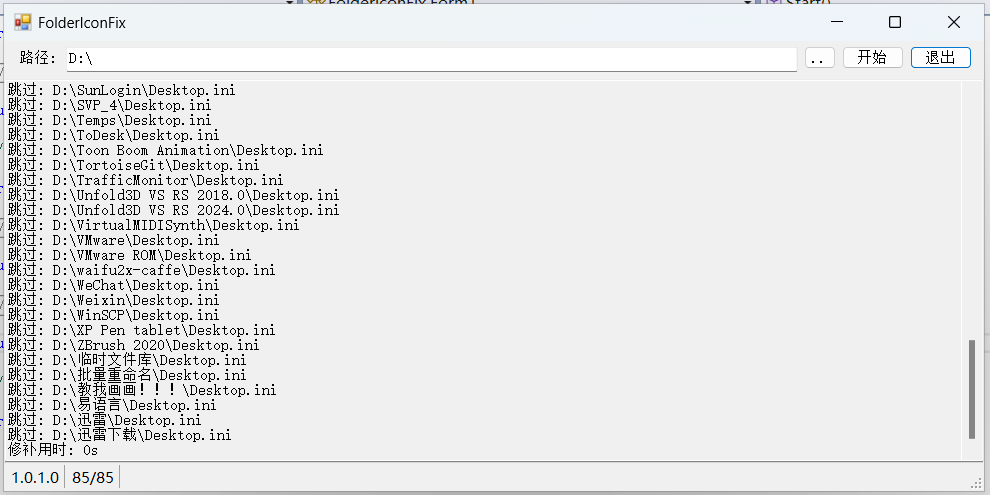
做了个小工具, 这个是用于将文件夹的图标路径设置为相对路径, 方便转移文件.

效果:


绝对路径转相对路径核心代码 (纯业余水平, 见丑了):
string[] tmp2; //吧路径切成腻子, 图标路径
string[] tmp3; //吧路径切成腻子, 当前文件夹路径
string[] tmp4; //截取之后保留的路径, 就是 ".\icon.ico" 的 "icon.ico" 这一段
tmp2 = iconpath.Split('\\');
tmp3 = folder.Split('\\');

int lastindex = tmp3.Length - 2; //遍历每个腻子, 这个记录, 当遇到比较不同文件夹名称时, 最后的索引, 默认是文件夹所在路径, 去除 Desktop.ini 和盘符的数组长度
for (int i = 0; i < tmp3.Length - 1; i++) //跳过第一个和最后一个
{
    if (tmp2[i] == tmp3[i])
    {
        lastindex = i + 1;
        continue;
    }
    else
    {
        break;
    }
}
string newiconpath = "";
tmp4 = new string[tmp2.Length - lastindex];
Array.Copy(tmp2, lastindex, tmp4, 0, tmp2.Length - lastindex);
//往前
if (lastindex < tmp3.Length - 1)
{
    for (int i = 0; i < lastindex; i++)
    {
        newiconpath = "..\\" +  newiconpath;
    }
    newiconpath = newiconpath + string.Join("\\", tmp4);
}
//往后
else
{
    newiconpath = ".\\" + string.Join("\\", tmp4);
}
项目开源在:
Github – FolderIconFIx
文章摘自:https://www.cnblogs.com/yuhang0000/p/19933497
 京ICP备14020293号-4